Evaluate at
Some examples of the evaluate_at functionality
[1]:
import xarray as xr
import numpy as np
import xemc3
import matplotlib.pyplot as plt

# Matplotlib setup
import setup_plt
Matplotlib is building the font cache; this may take a moment.
[2]:
# Use local helper function to get some data
from get_data import load_example_data

ds = load_example_data()
# If you want to use your own data use something like
# ds = xemc3.load.all("path/to/mydata/")
# or if you have converted it already to a netcdf file
# ds = xr.open_dataset("path/to/mydata.nc")
Trying to download an example file to ../../example-data/ ...
Cloning into '../../example-data'...
warning: redirecting to https://gitlab.mpcdf.mpg.de/dave/xemc3-data.git/
Updating files:  52% (57/108)
done
Updating files: 100% (108/108), done.
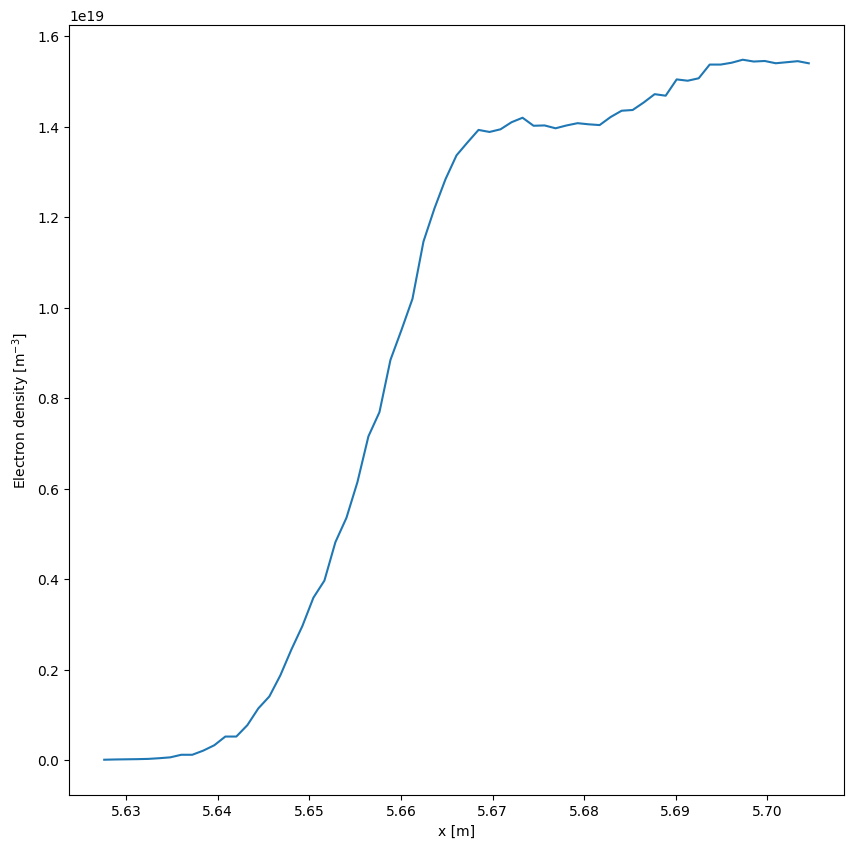
Evaluate along a line of sight
[3]:
nx = 1000
mapped = ds.emc3.evaluate_at_xyz(
    np.linspace(4.8, 6.0, nx),
    np.linspace(-0.1, 0.1, nx),
    np.linspace(-0.5, 0.5, nx),
    "ne",
    periodicity=5,
    updownsym=True,
    delta_phi=np.pi / 1800,
)
# Add a coordinate
mapped.coords["dim_0"] = np.linspace(4.8, 6.0, nx)
mapped.dim_0.attrs = dict(units="m", long_name="x")
[4]:
plt.figure()
mapped["ne"].plot()
[4]:
[<matplotlib.lines.Line2D at 0x782e33bf57f0>]
Evaluate along a 2D array
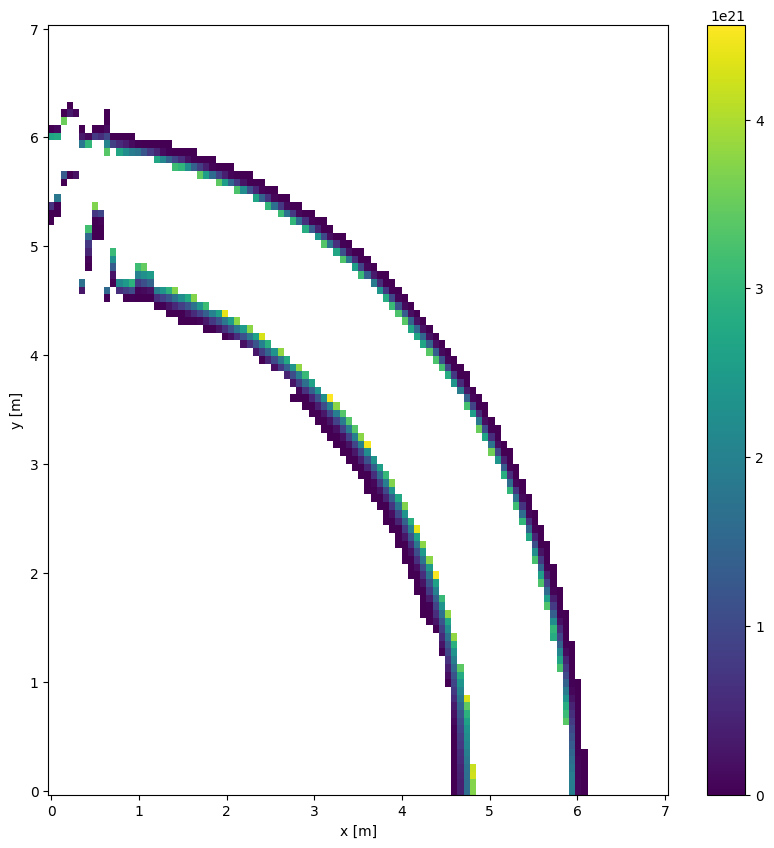
Plotting an \(R\times z\) plane can be done with ds.emc3.plot_rz(key, phi) this allows to plot abitrary cuts of the domain.
[5]:
# Evaluate an abitrary 2D slice
x = xr.DataArray(np.linspace(0, 7, 100), name="x", dims="x", attrs=dict(units="m"))
y = xr.DataArray(np.linspace(0, 7, 100), name="y", dims="y", attrs=dict(units="m"))
z = 0
# Add coordinates:
x.coords["x"] = x
y.coords["y"] = y


mapped = ds.emc3.evaluate_at_xyz(
    x, y, z, ["ne", "Te"], periodicity=5, updownsym=True, delta_phi=np.pi / 180
)
[6]:
# Plot the pressure
plt.figure()
(mapped.ne * mapped.Te).plot(x="x", y="y")
[6]:
<matplotlib.collections.QuadMesh at 0x782e33142c90>
Precalculate the mapping
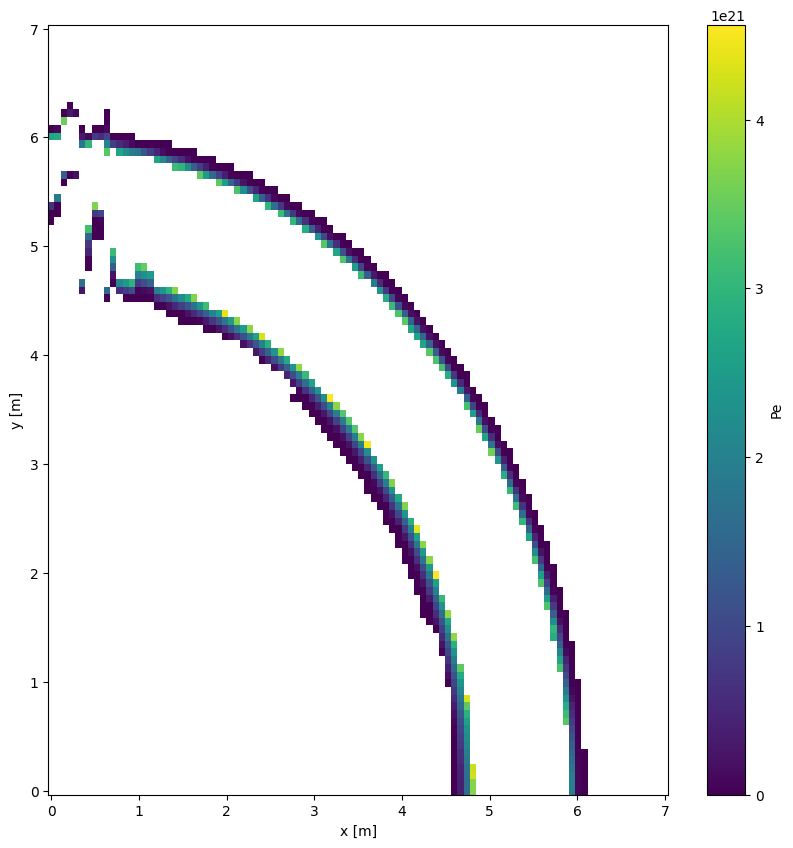
Rather then directly evaluating a quantity, we can also calculate the mapping first. This is usefull if the same mapping is needed for different simulations, as long as they use the identical grid.
[7]:
# Evaluate an abitrary 2D slice
x = xr.DataArray(np.linspace(0, 7, 100), name="x", dims="x", attrs=dict(units="m"))
y = xr.DataArray(np.linspace(0, 7, 100), name="y", dims="y", attrs=dict(units="m"))
z = 0
# Add coordinates:
x.coords["x"] = x
y.coords["y"] = y

# We don't pass in the key we want to evaluate
# In this case we get a dataset with indices
mapped = ds.emc3.evaluate_at_xyz(
    x, y, z, key=None, periodicity=5, updownsym=True, delta_phi=np.pi / 180
)
[8]:
# This time we calculate the pressure
ds["Pe"] = ds.Te * ds.ne
# And then we evaluate with the pre-evaluated indices the pressure in the plane
plt.figure()
ds["Pe"].isel(**mapped).plot(x="x", y="y")
[8]:
<matplotlib.collections.QuadMesh at 0x782e33c314c0>
Evaluate along a field line
xemc3 doesn’t support field-line tracing
We can however use the webservices, if we are on the IPP network
Warning
Please note that if you don’t use the same magnetic configuration in the fieldlinetracer and the simulations, you might get slightly wrong results or completely wrong results.
Especially, conclusion drawn might be completely wrong!
Always double check the magnetic configurations!
[9]:
try:
    from dave_utils import jafw
except ImportError:
    print("Importing failed. Consider installing dave_utils with:")
    print("pip install --user git+https://gitlab.mpcdf.mpg.de/dave/dave_utils.git")
    jafw = None
    raise

# This will fail outside of the IPP network
flt = jafw.getSrv()

config = jafw.setCurrents([-1.74e6] * 5 + [0] * 5)

pos = flt.types.Points3D()
pos.x1 = 5.7
pos.x2 = 0
pos.x3 = 0

lineTask = flt.types.LineTracing()
lineTask.numSteps = 3000

task = flt.types.Task()
task.step = 0.01
task.lines = lineTask

res = flt.service.trace(pos, config, task, None, None)

i = 0
dat = np.array(
    [
        res.lines[i].vertices.x1,
        res.lines[i].vertices.x2,
        res.lines[i].vertices.x3,
    ]
)
mapped = ds.emc3.evaluate_at_xyz(
    dat[0],
    dat[1],
    dat[2],
    "ne",
    periodicity=5,
    updownsym=True,
    delta_phi=np.pi / 180,
)
Importing failed. Consider installing dave_utils with:
pip install --user git+https://gitlab.mpcdf.mpg.de/dave/dave_utils.git
---------------------------------------------------------------------------
ModuleNotFoundError                       Traceback (most recent call last)
Cell In[9], line 7
      3 except ImportError:
      4     print("Importing failed. Consider installing dave_utils with:")
      5     print("pip install --user git+https://gitlab.mpcdf.mpg.de/dave/dave_utils.git")
      6     jafw = None
----> 7     raise
      8
      9 # This will fail outside of the IPP network
     10 flt = jafw.getSrv()

ModuleNotFoundError: No module named 'dave_utils'
[10]:
if jafw is not None:
    mapped["ne"].plot(figsize=(16, 6))
else:
    print("Fieldlinetracer not available ...")
Fieldlinetracer not available ...